Docking station USB-C 2хHDMI 4K for laptops Macbook Lenovo ASUS

Docking station USB-C 2хHDMI 4K for laptops Macbook Lenovo ASUS

RESTEQ
BLRJEHYBV1
Docking station USB-C 2хHDMI 4K for laptops Macbook Lenovo ASUS
Out of Stock
€81.95
Tax included
Quantity

Out-of-Stock
  Secure payment

By credit card and paypal

  Easy going back

Buy safely

  Fast delivery

With online tracking

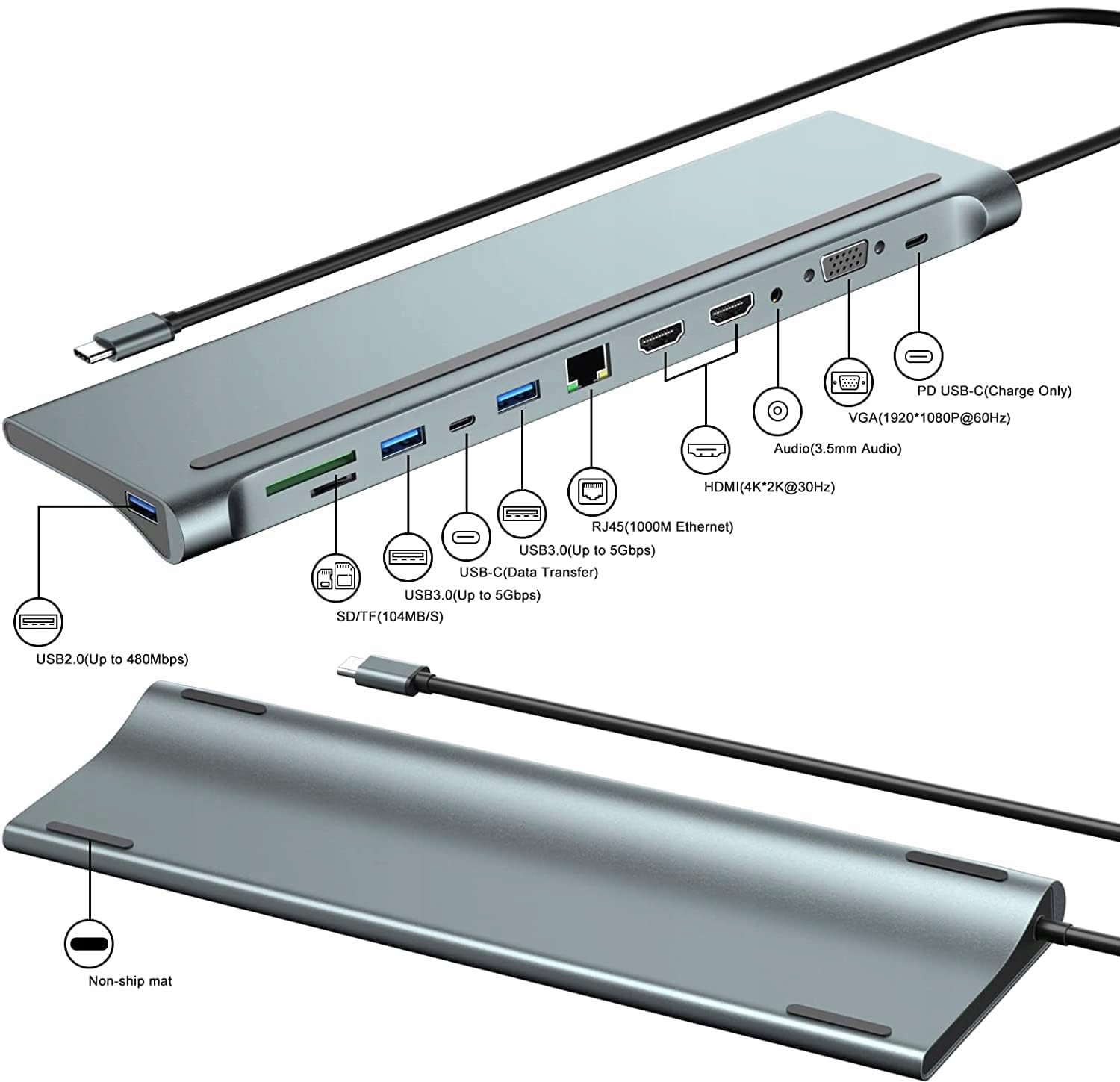
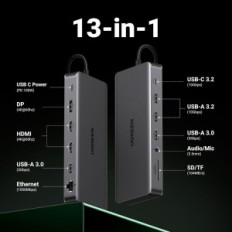
USB-C docking station with 12 ports: Through the docking station you can easily extend Thunderbolt 3 / USB-C ports. 2x HDMI, 1x VGA, 2x USB 3.0, 1x USB 2.0, 1x USB-C, 1x USB-C (Charging Only), 1x Headphone Port 3.5 mm, 1x SD, 1x TF, 1x RJ45.

Triple display: USB-C up to 3 monitors. Support for 2x HDMI 3840x2160 @ 30Hz, VGA 1920x1080 @ 60Hz in extended and mirror mode in Windows and MacOS. NOTE: All images of external monitors are the same in MacOS due to the operating system limits. Only Windows systems can display different images on the extended monitor.

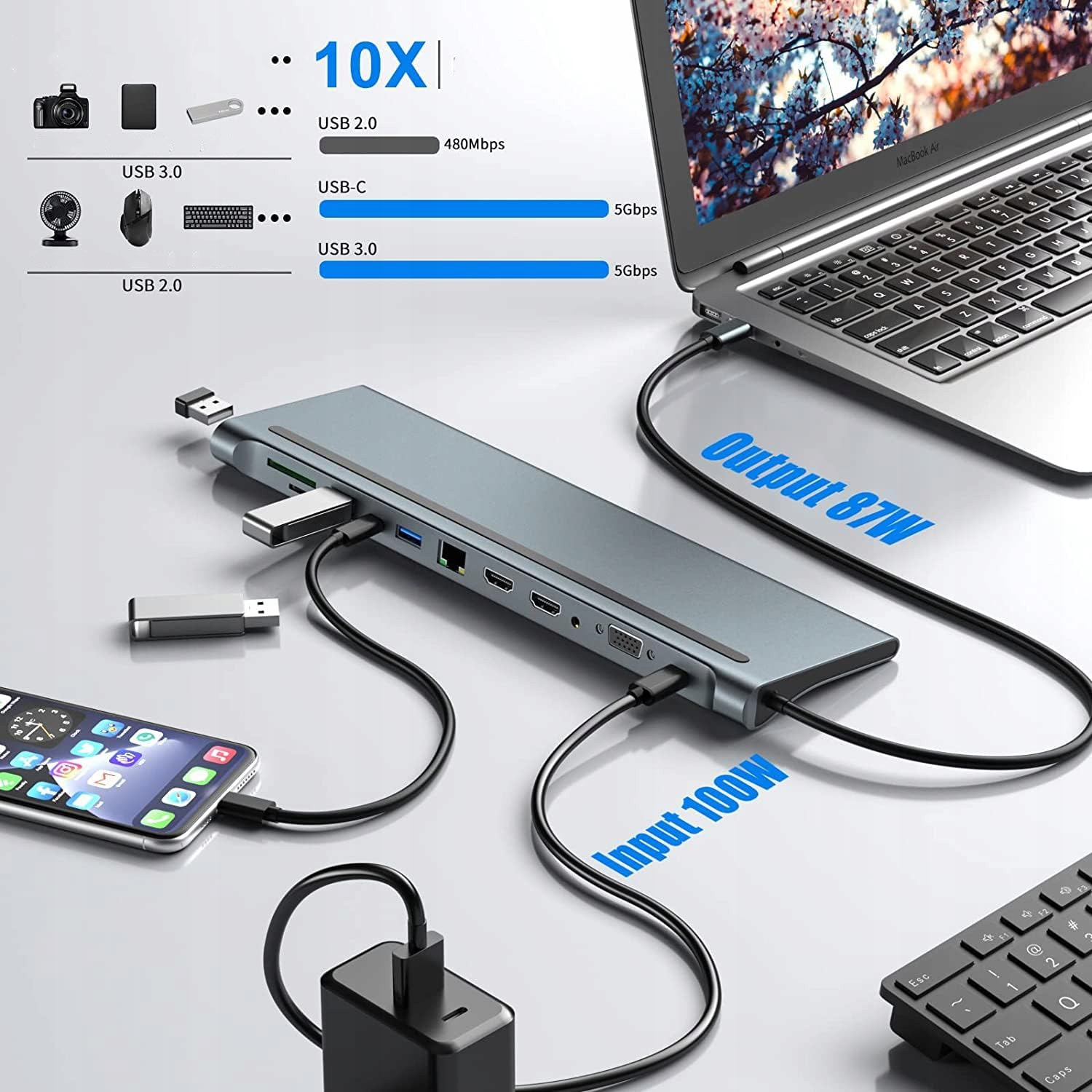
Faster data transfer: USB-C docking station has built-in USB 3.0 and USB C ports, transfer speed to 5.0 GB / S, ideal for transferring large files. USB 3.0 ports can also be used to connect the keyboard and mouse. SD / TF card slot supports memory card reading up to 512 GB, facilitates access to data.

7d1444466d06edf5988055510e89034d.jpg
673e8052dfcc0cd4ff2e7c43ea4b6b16.jpg

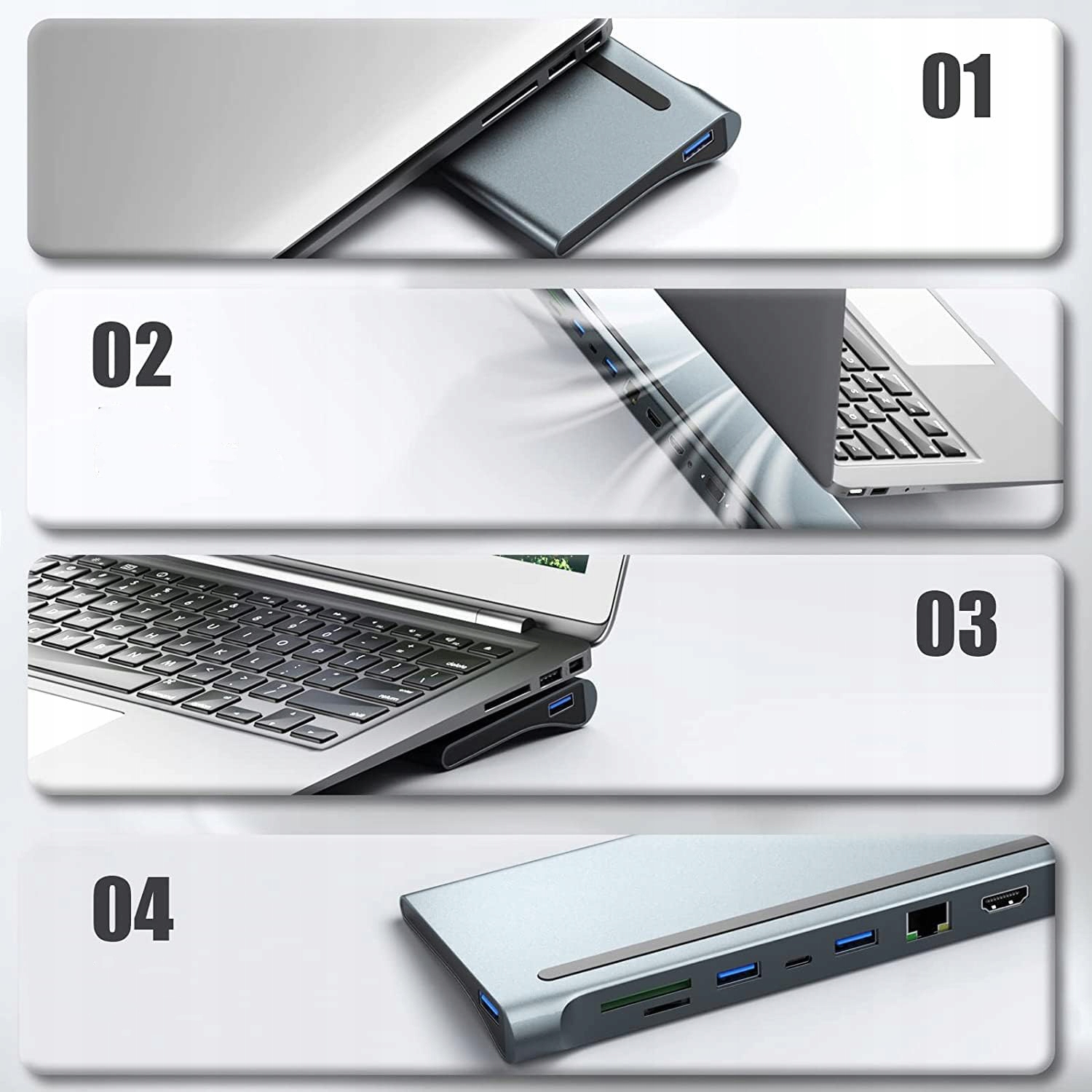
Save space on the desk: the docking station design allows you to place it on the bottom of a laptop and effective heat dissipation. Use a warranty 18 months from the manufacturer. If you encounter any problems when using this USB-C docking station, just let us know and we will definitely solve them.

Wide compatibility: Plug and Play does not require installation of additional software. USB-C docking station is suitable for compatible devices from Thunderbolt, such as MacBook, MacBook Air / Pro, iMac / iMac Pro, Pixel, Dell, ASUS, HP, Lenovo and Many other laptops with a Thunderbolt USB-C port. Before buying, make sure your laptop has a full-fledged USB-C Thunderbolt port.

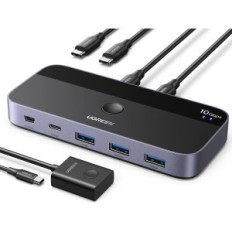
USB C Docking Station with Double Monitors, Hub With Dual HDMI VGA USB 3.0 SD card reader for Windows / Mac laptops:

  • 2 * HDMI 4K ports, 1 * Port VGA: Thanks to this docking station, you can mirror / extend the image to a TV / monitor / projector from USB C devices;
  • 1 * Gigabit Ethernet port: thanks to this Adapter Ethernet USB C you can enjoy a stable network, plug and play, without drivers or software installations, speed up to 1000 Mb / s;
  • 2 * USB 3.0 ports: (up to 5 GB / s), allow you to connect USB devices, such as a mouse, keyboard and hard disk;
  • 1 * USB 2.0 port: (up to 480 MB / s), allows you to connect a keyboard or mouse without delay (Note: Wireless Mice and Logitech keypads are not supported);
  • 1 * SD and TF card reader (up to 104 MB / s) for USB-C / TYPE-C / THUNTERBOLT 3 devices, enables quick access to files from the SD / TF card reader, ideal for photographers or video edges, etc..
  • 1 * Audio / Microphone 2 jack 2 in 1 3.5 mm: with the function of the microphone and audio-out. (If you can not use the function, select the appropriate device on your computer);
  • 1 * USB port C: (only loading), maximum output power 87W, please use the PD charger with power over 65W.
673e8052dfcc0cd4ff2e7c43ea4b6b16.jpg
babc051b3e447eed33f8e38b1686f990.jpg

Ads:

  • For a single HDMI1 connection1 resolution to 4K / 30Hz, use the 4K screen and HDMI cable to get the optimal resolution.
  • All MacBooks only support the mirror mode: AA, AAA, AAAA and Extended mode: AB, ABB, ABBB. Do not support A-B + C mode or A-B + C + D (which is only available for Windows laptops).
  • MacBook M1 2020 can only be expanded by one monitor due to chipset limits.
  • For laptops with Windows supporting DP1.2, due to laptop bandwidth restrictions, the resolution of one of the monitors will be lower than 1080p by connecting external 2/3 monitors, the final resolution depends on different laptop configurations.
  • Please check if the built-in USB C port on your laptop supports video output; If not, HDMI, DP ports and 3.5 mm socket in the hub will not work for your laptop.
  • Please connect the power to load your laptop when connecting external devices.

List of compatibility (incomplete):

HP laptops:

  • HP Spectre X2 / HP Spectre X360 / HP Elite × 2 1012 / HP EliteBook Folio G1 / HP Boot 15 G3 / HP Laptop 13-AF001TU / HP ProBook 450 G5 / 6/7

Dell laptops:

  • Dell XPS 9380 / XPS 13 15 17 / Dell Latitude 7280 / Latitude 5310 2-in-1; Precision 7730 / precision 7750; Laptop 5590

Lenovo laptops:

  • Lenovo Yoga 720-13IKB / Yoga 730 / Yoga 900-13isk / Yoga 910 / Yoga 920 / Yoga 930 / Yoga 940-14il; 3rd Generation ThinkPad Yoga; Yoga15 ThinkPad Ultrabook Pro; ThinkPad E590 / ThinkPad P72 / ThinkPad T470 / ThinkPad X1 Carbon (2019 Model); Flex 14 IML (81xg) / Flex 5; Legion Y530; Lenovo C930 / T480S / X390 / 81N8

Surface laptops:

  • Microsoft Surface Pro 7 / X Surface Pro 7 / X, Surface Go, Surface Book 2, Surface Laptop 3

Huawei laptops:

  • Huawei MacBook Mate10 / Mate10 Pro / Mate20 / Mate20 Pro / Mate30 / Mate30Pro

Laptops Apple:

  • MacBook / MacBook Pro (2021/2020/2019/2018/2017/2016); MacBook Air 2018-2021; NOTE: MacOS laptops only support SST mode, so all external monitor screens will be the same.

Other laptops:

  • Google Slate (2019); Chromebook C340-15; Sandisk Cruise Glide; Razer Blade 2017 (GTX 1060); Pixel Book Go 2019/2020

List of incompatible devices:

  • All HP Pavillion laptops; HP EliteBook X360 1030 G2, HP Envy Model U110NR, HP EliteBook 840 G3 / 745 G4 / 820 G3 / 828 G4 / HP Probook 650 G2 / 455 G4 / 430 G5; Lenovo IdeaPad 330S / S340, Lenovo Yoga Flex 5, Lenovo Legion Y540, Lenovo Tab 4; LL MSI laptop; Nintendo Switch; Dell Chromebook 5190, Dell Latitude 3390/5510; Google Pixel Book 2, Huawei Matebook D15; Acer Nitro 5, Acer Chromebook Model CB515-1HT-C2AE, Acer Aspire E15; ASUS 202C Chromebook / Nitro 5 / Aspire E15 / FX571GT / A509JA
RESTEQ
: BLRJEHYBV1
Out of Stock

Specific References

EAN13
5906476009132

5 other products in the same category:

Viewed products